Tasker SQLite Plugin1.3.3
Publisher Description
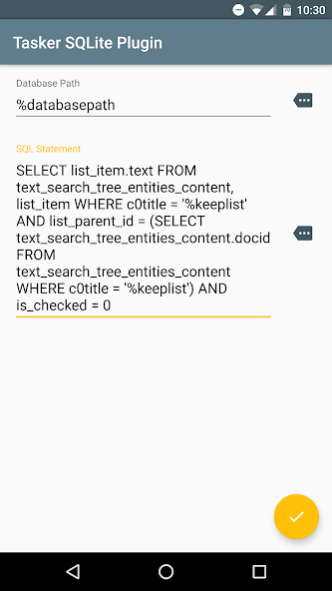
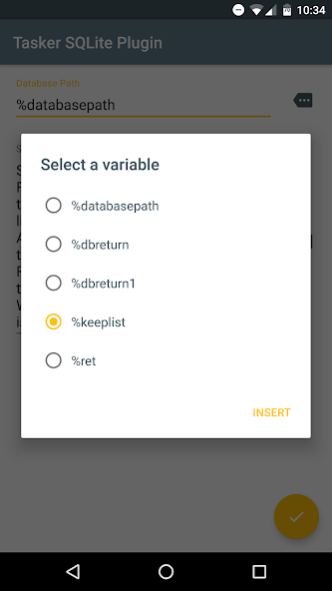
The easier way to query databases with Tasker, now with the ability to create your own databases! No need to hunt for a SQLite binary that is compatible with your phone. Simply add the Tasker SQLite Plugin step to a Tasker task, input the path to the database and your sql statement, and execute.
========== Return Variables ==========
For INSERT statements with columns specified i.e. INSERT INTO tTableName(colX, colY) VALUES (valX, valY):
%dbrowid = the row id of the newly inserted row
For SELECT statments:
%dbreturn = the output of the sql statement in the same way as the sqlite binary (columns separated by pipes and rows separated by new lines) so it can be dropped in without any other changes to existing SQLite tasks.
%dbreturncount = the number of rows returned
%dbrows() = an array of rows so you don't have to split %dbreturn by the new line character
%db[column_name_lower_case]() = an array of values for each column (replace [column_name_lower_case] with the actual name of the column)
This app is currently in beta. Please report any issues via email.
Root is required to access other app's databases.
About Tasker SQLite Plugin
The company that develops Tasker SQLite Plugin is Hotman[n]. The latest version released by its developer is 1.3.3. This app was rated by 2 users of our site and has an average rating of 4.0.
To install Tasker SQLite Plugin on your Android device, just click the green Continue To App button above to start the installation process. The app is listed on our website since 2016-04-01 and was downloaded 86 times. We have already checked if the download link is safe, however for your own protection we recommend that you scan the downloaded app with your antivirus. Your antivirus may detect the Tasker SQLite Plugin as malware as malware if the download link to com.jordanhotmann.taskersqliteplugin is broken.
How to install Tasker SQLite Plugin on your Android device:
- Click on the Continue To App button on our website. This will redirect you to Google Play.
- Once the Tasker SQLite Plugin is shown in the Google Play listing of your Android device, you can start its download and installation. Tap on the Install button located below the search bar and to the right of the app icon.
- A pop-up window with the permissions required by Tasker SQLite Plugin will be shown. Click on Accept to continue the process.
- Tasker SQLite Plugin will be downloaded onto your device, displaying a progress. Once the download completes, the installation will start and you'll get a notification after the installation is finished.
Program Details
System requirements
Download information
Pricing
Version History
version 1.3.3
posted on 2016-04-01
-Fixed crash when creating a database,-Better %dberr messages if database creation fails
